Text to speech software: the 5 types, and where Speech Assistant fits
The Speech Assistant Team
November 2026 · 3 min read
Text to speech software turns written words into a spoken voice, but the tools are built for five different jobs, and picking the right type matters more than picking a brand.
What are the types of text to speech software?
Built-in features. Your phone and computer already read text aloud. On iPhone and iPad, Spoken Content reads the screen or a selection, and Live Speech speaks what you type.
Reader apps. They read documents, web pages, PDFs and books to you. Good for study, dyslexia, tired eyes or listening on the go.
Voice-over tools. You paste a script and get an audio file with a natural voice, for videos, courses and podcasts.
Screen readers. They speak everything on the screen, including buttons and menus, for people who are blind or have low vision.
Apps that speak for you. For people who can't speak or are hard to understand: you type or tap, and the device talks to the person in front of you. This is called AAC.
Which type do I need?
I want to listen to a text: a reader app, or the built-in feature.
I need narration for a video: a voice-over tool.
I can't see the screen well: a screen reader.
I want to talk with people: an app that speaks for you.
The first three types make speech for you to listen to. The last one makes speech for someone else to hear, in a live conversation, so speed and ease matter most.
Where does Speech Assistant fit?
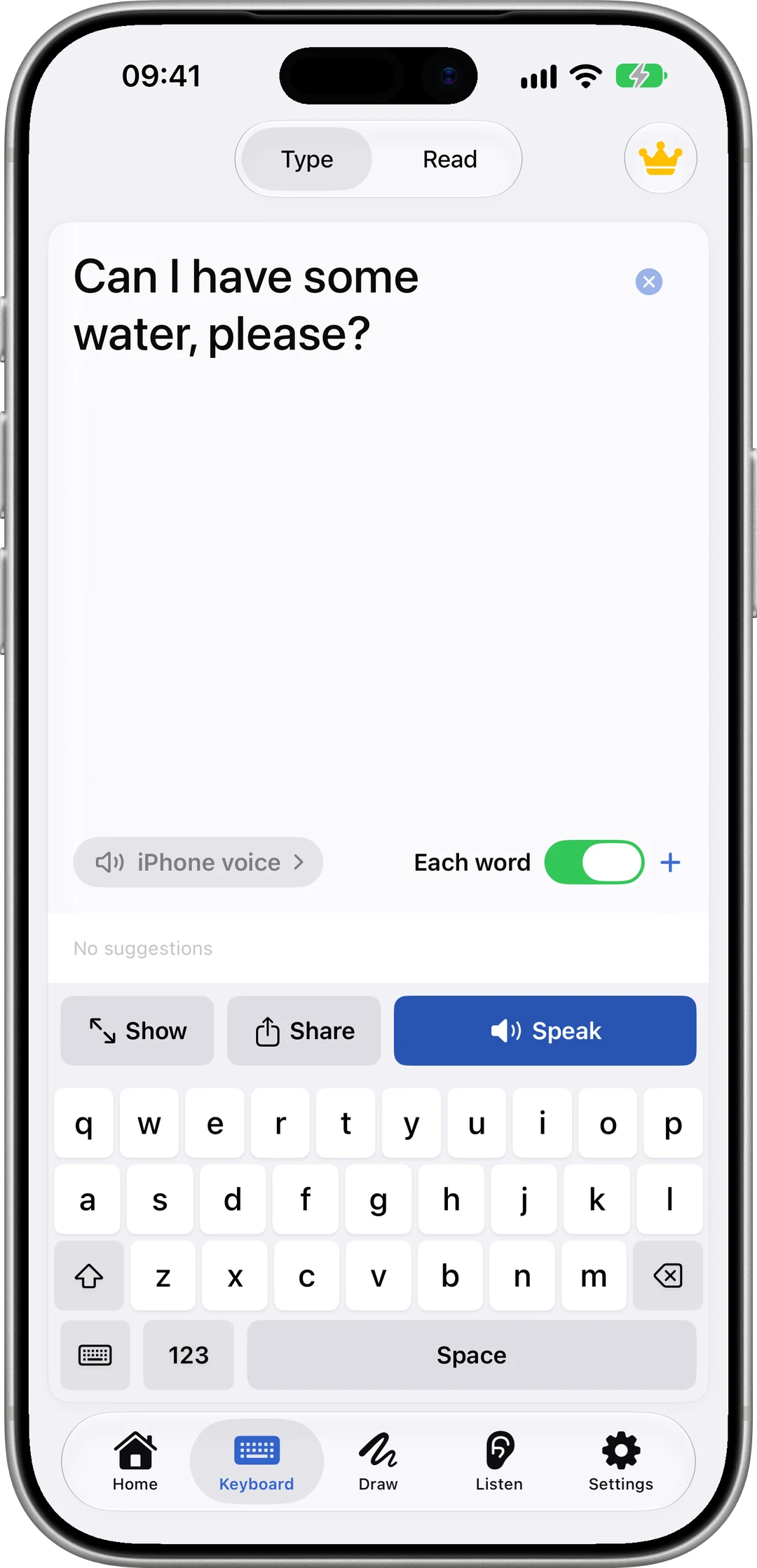
Speech Assistant is type 5: text to speech for conversation, on iPhone, iPad and Apple Watch.
Type and speak, with word prediction, shortcuts that expand a few letters into a phrase, and Each word, which speaks as you type.
Picture boards of ready phrases, for when typing is too slow.
Show puts your message full screen in a noisy place.
Hands-free head tracking for people who can't touch the screen.
It also covers part of type 2: Read Aloud reads a scanned page, PDF or pasted text with each word highlighted.
What is Speech Assistant not?
Not a voice-over tool: it doesn't make narration files for videos.
Not a screen reader: it doesn't read the rest of your phone.
If you need a voice for everyday conversation, start with what AAC is, or try Speech Assistant from the App Store.
Questions people ask
What is the best text to speech software?
It depends on the job. To listen to documents, use a reader app. To make narration for a video, use a voice-over tool. To talk with people when you can't speak, use an app made for conversation, such as Speech Assistant.
Does the iPhone have text to speech built in?
Yes. Spoken Content reads the screen or selected text, and Live Speech speaks what you type. Both are in Settings ▸ Accessibility.
Is Speech Assistant text to speech software?
Yes, of one kind: it speaks what you type or tap so you can talk with people. It also reads documents aloud, but it isn't a voice-over tool or a screen reader.
Does text to speech work without internet?
Device voices do. In Speech Assistant, typing, picture boards and Read Aloud speak offline with the iPhone's voices.