Communicate with confidence.
A voice for everyone. Tap phrases, track head movement, and speak aloud — on iPhone, iPad, and Apple Watch.

Built for and trusted by
Everything you need to be heard.
Designed with accessibility first — for users with autism, ALS, aphasia, and limited motor control.
Phrase Communication
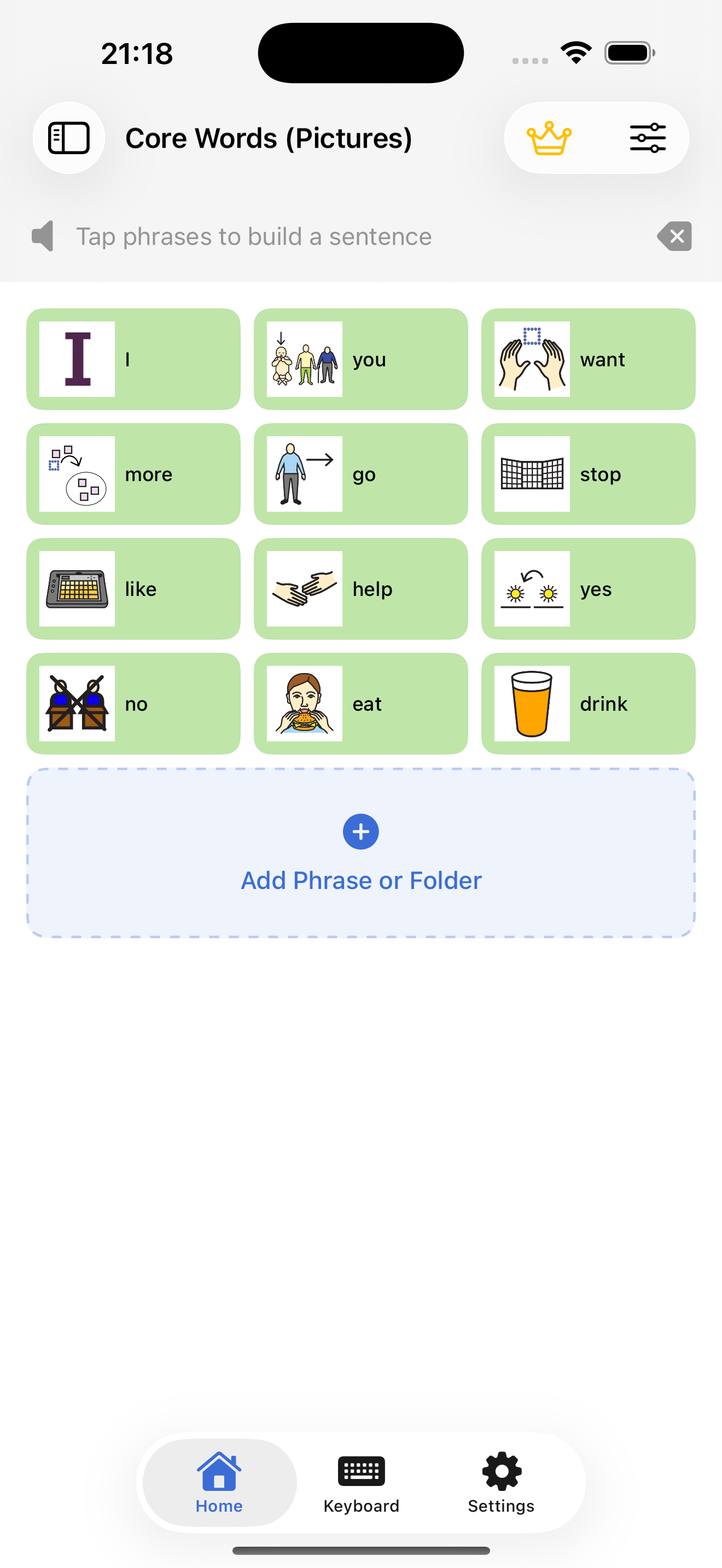
Browse categories and tap phrases to speak them aloud instantly with high-quality text-to-speech.
Head Tracking
Control the whole app with head movement using ARKit face tracking — built for limited motor control.
Symbol Tiles
Attach custom images or AAC symbols to tiles for a clear, visual communication board.
Personal Voice
Record a familiar voice for any phrase so communication sounds natural and personal.
Cloud Sync
Your board syncs securely across iPhone, iPad, and Apple Watch, backed up in the cloud.
Apple Watch
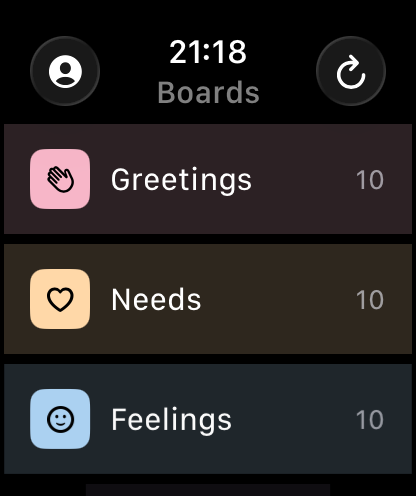
Most-used phrases on your wrist with the companion Watch app — communication anywhere.
Speak with a glance.
Head Tracking uses ARKit face tracking so the entire board can be controlled with head movement — no touch required.
How it works ›
Give someone their voice.
Free to download. Syncs across iPhone, iPad, and Apple Watch.
Download on the App Store