Listening Mode in Speech Assistant: reply faster when someone asks you a question
The Speech Assistant Team
November 2026 · 2 min read
Listening Mode in Speech Assistant hears a question asked near you and shows short replies you can speak with one tap, so you can answer without building the sentence yourself.
How do I start Listening Mode?
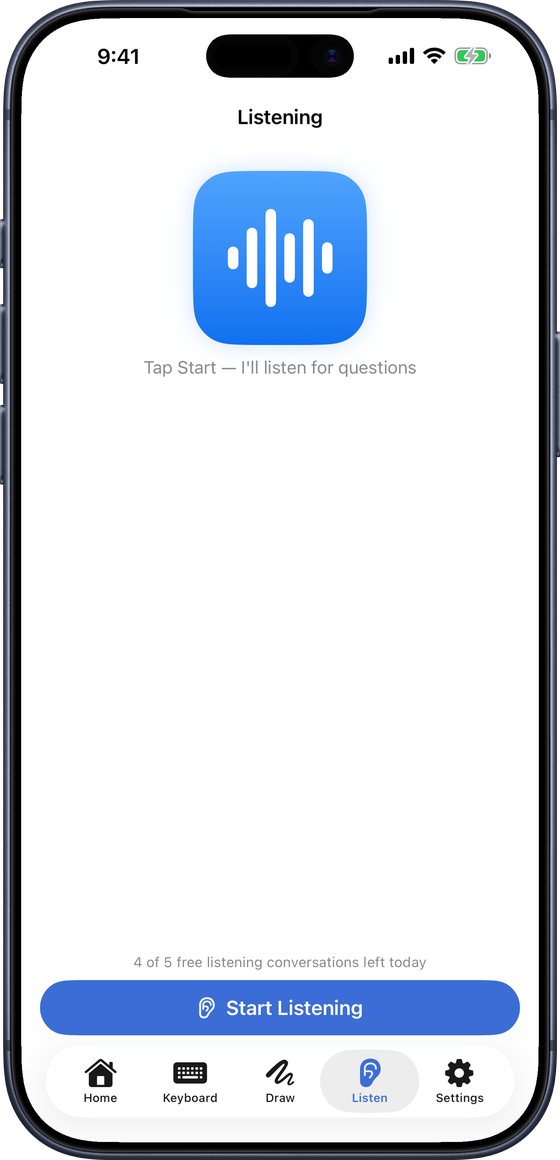
Open the Listen tab.
Tap Start Listening.
The first time, read the short privacy note and tap I Understand, then allow speech recognition and the microphone.
Hold the iPhone where the other person's voice reaches it. The status line says Listening…
What happens when someone asks a question?
The question appears on screen as text.
Reply tiles appear straight away, matched to the kind of question:
Yes or no: Yes, No, Maybe, I'm not sure.
When: Today, Tomorrow, Later.
Where: At home, Here.
"Tea or coffee?": the two choices themselves, as their own tiles.
A few more replies that fit the exact question are added below. Tiles already on screen never move, so you won't tap the wrong one.
How do I answer?
Tap a reply. Speech Assistant speaks it in your chosen voice.
The microphone pauses while your reply is spoken, so the app doesn't hear itself.
Then it listens again for the next question. If the person rephrases, new replies replace the old ones; you don't have to pick first.
Tap Stop when the conversation is over.
Is it private?
Audio stays on your iPhone. Speech is transcribed on the device whenever iOS supports it.
Only the text of a question is sent securely to suggest replies.
The app records only the kind of question (for example yes/no), never its words.
The other person is transcribed too, so let them know you are using Listening Mode.
Who is it useful for?
People who understand speech well but find typing or building a sentence slow.
Quick everyday exchanges: a shop, a nurse's question, a family meal.
For longer or personal messages, the boards and the keyboard are still the place to build them.
What is free and what is Premium?
Free: five listening conversations a day.
Premium: no daily limit.
Listening Mode is a communication aid, not a medical tool. A speech-language therapist can advise on what suits an individual.
Questions people ask
Is Listening Mode free?
Yes, five listening conversations a day. Premium removes the daily limit.
Does Listening Mode record the conversation?
No. Audio stays on your iPhone and speech is transcribed on the device whenever iOS supports it; only the text of the question is sent to suggest replies.
Does it work in other languages?
Yes. Listening Mode follows the app's language: English, Spanish, French, German, Italian, Brazilian Portuguese and Dutch.