Speech Assistant 1.10 gives you more than 50 ready-made boards, a new Home screen that keeps your boards beside the tiles, suggestions for what to say next, and your boards on Apple Watch.
What are the new ready-made boards?
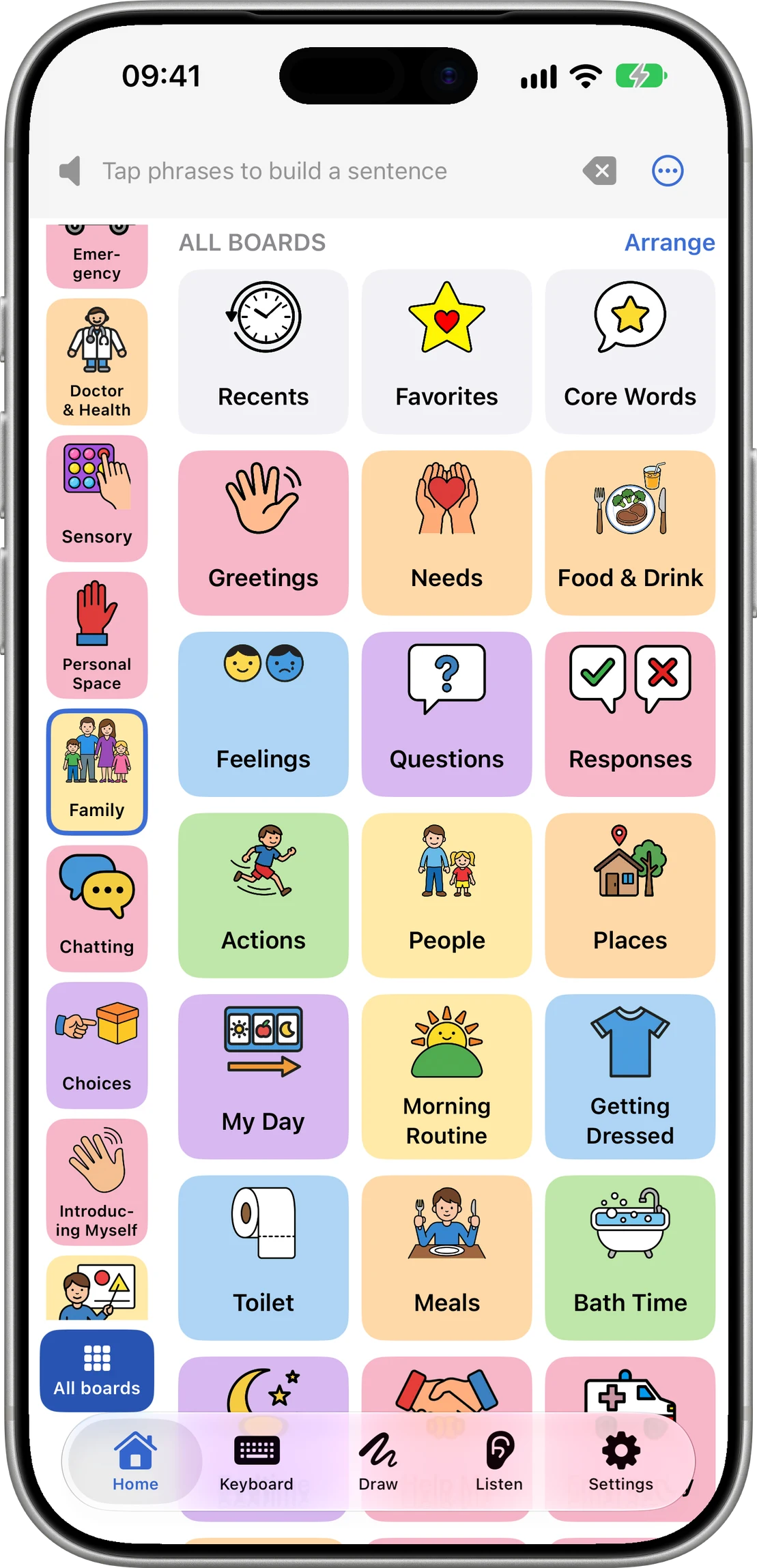
More than 50 boards for everyday life: school, meals, doctor, getting dressed, bath time, my day and many more.
Each comes with new pictures and is ready in all seven languages of the app.
They are part of the app, so they work offline.
What changed on the Home screen?
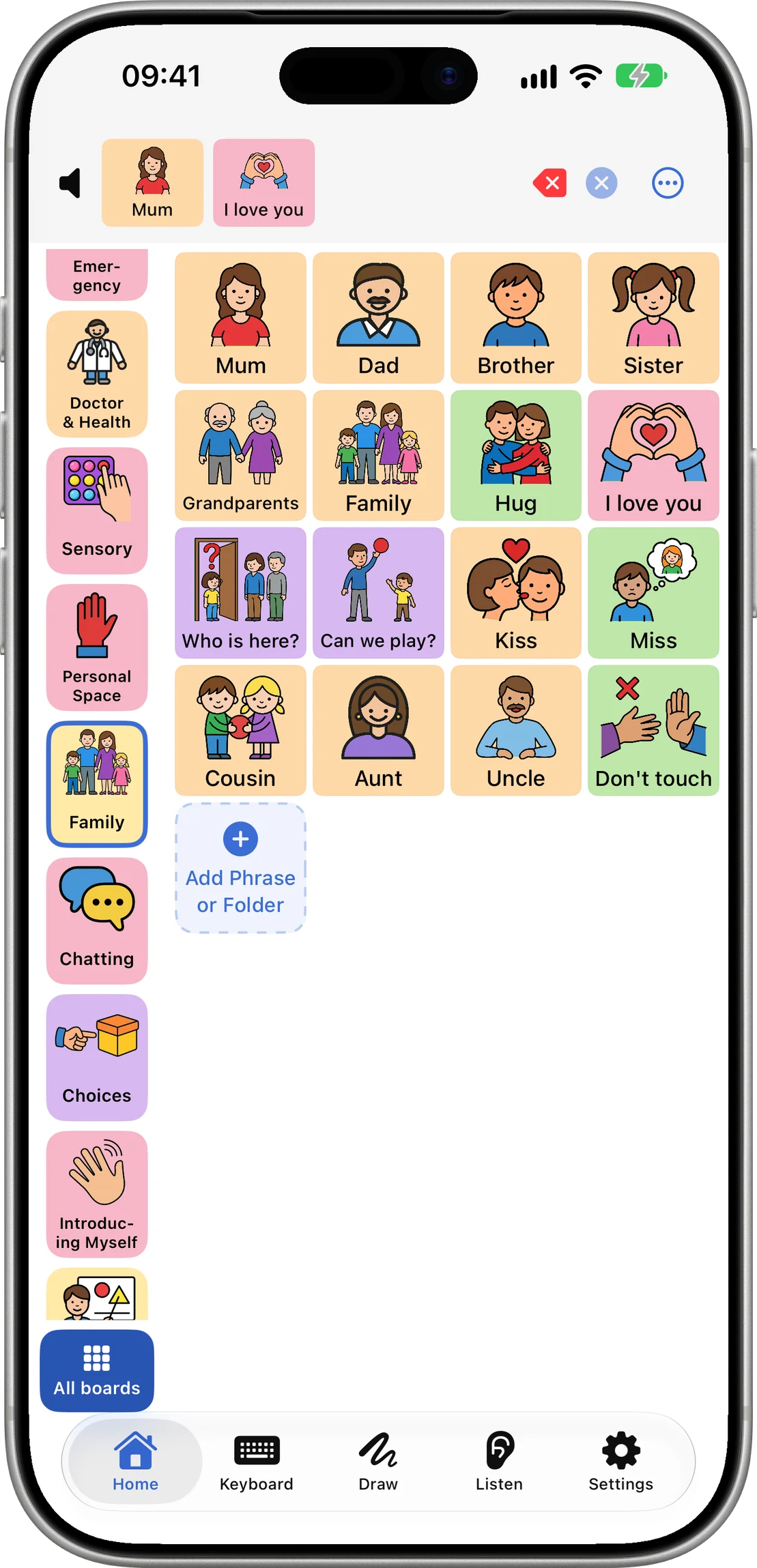
Your boards sit beside the tiles, so switching boards is one tap.
All boards shows every board as a picture.
Arrange (on the All boards page, in Caregiver mode) adds, hides and reorders boards in one list. A hidden board keeps its tiles.
First time after updating? A short tour shows where everything is.
How do suggestions work?
Tap a phrase or two to start a sentence.
A row above the board suggests the words and phrases most likely to come next, from all your boards.
Tap one to say it. The board itself never moves.
Before you tap anything, the row shows what you usually say, learned on your device. Hide it with the ×, or turn off Suggested Now in Settings.
What's new on Apple Watch?
The Watch shows your 10 most used boards.
In Arrange, tap the watch on a board to keep it on the Watch always.
Grid Size in Settings sets how many rows and columns of tiles a board shows.
Bug fixes and performance improvements.
Update from the App Store to get 1.10. New to Speech Assistant? Start with your first week of AAC.
Questions people ask
Are the new boards part of Premium?
No. The ready-made boards, the new Home screen, Arrange and the Apple Watch boards are for everyone.
Are suggestions free?
Yes, a number of times a day; with Premium there is no daily limit. When the limit is reached, suggestions come from what you usually say, learned on your device.
Is what I say stored when suggestions are on?
No. After you tap a phrase, the words of your sentence are sent to our server to pick the next phrases and are not stored.
Can I turn suggestions off?
Yes. Tap the × on the row, or turn off Suggested Now in Settings.