Thank you for your feedback and reviews: Speech Assistant 1.8 is built on what you told us, with easier typing, speaking what you write, and a quick way to bring a paper board into the app.
Can I use my own keyboard?
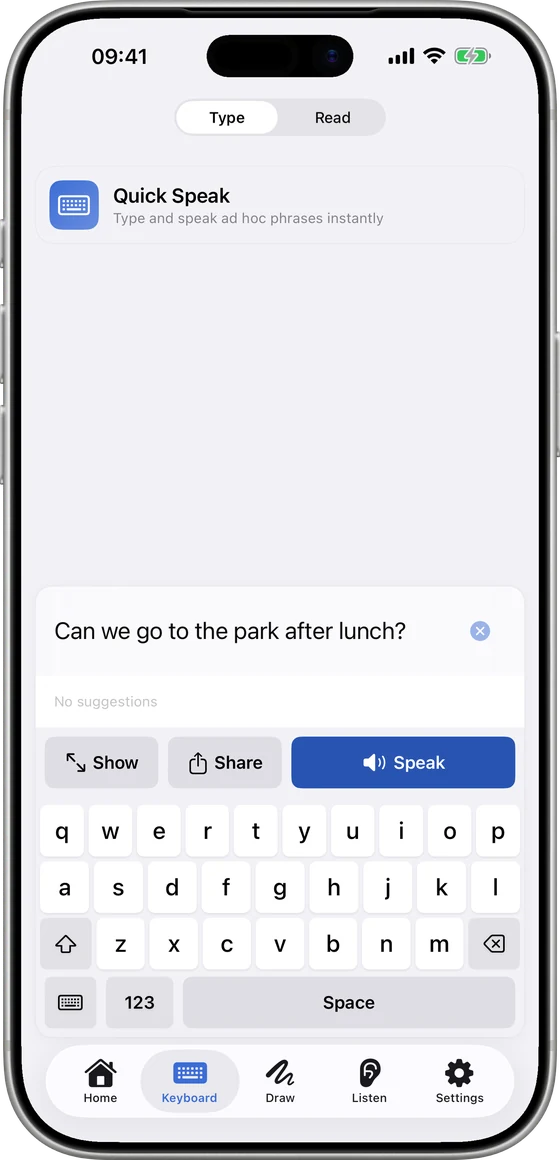
Tap the keyboard key at the bottom left of the Keyboard tab to switch to your iPhone or iPad keyboard.
You get your own layout, autocorrect and dictation.
To go back, tap the grid key left of Show. The Speech Assistant keyboard now has a wider space bar.
Speak, Show and Share sit together above the keys.
Can it speak what I write by hand?
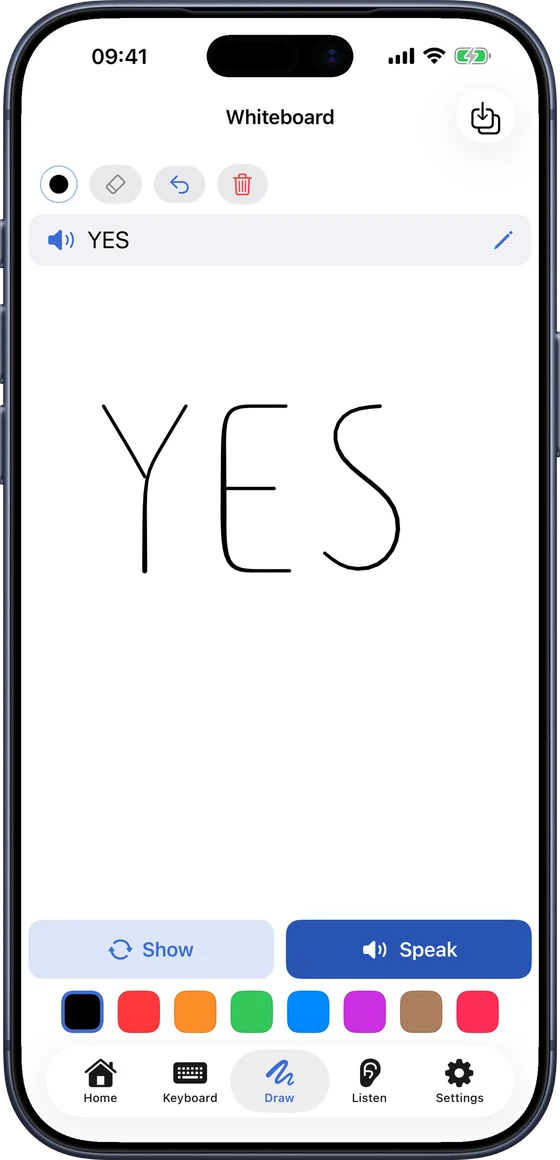
Open the Draw tab and write a word or a short message.
Tap Speak. The app reads your writing and says it out loud.
If a word comes out wrong, write a little bigger, or use Show to turn the drawing to the person opposite.
Will typed messages use my natural voice?
With Premium and a natural voice chosen, typed and handwritten messages now speak in that voice.
New and edited tiles get the natural voice automatically.
Offline, your device voice takes over and a short note tells you.
How do I turn a paper board into an app board?
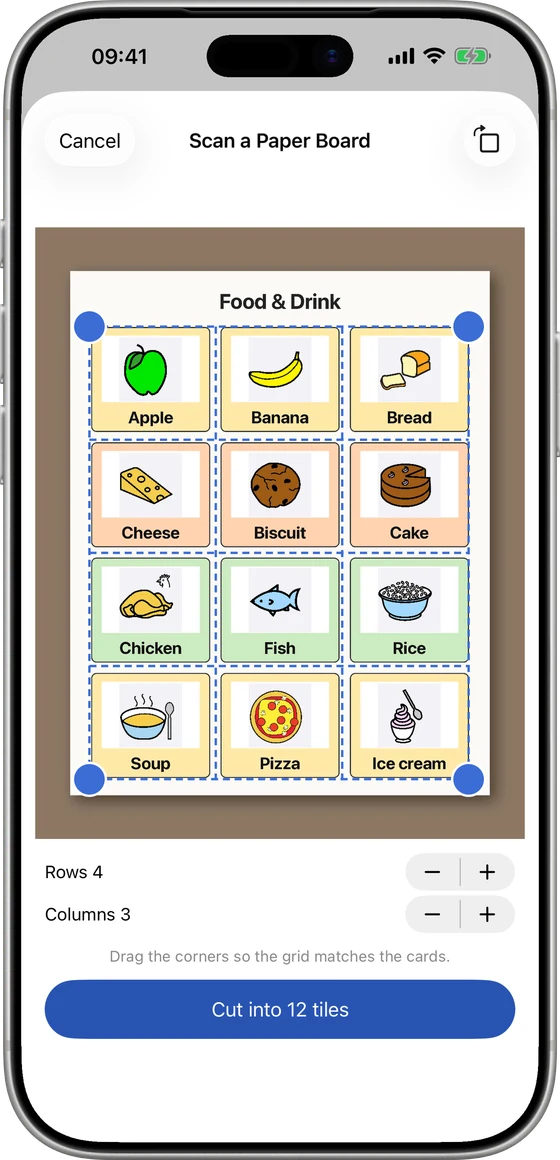
In Caregiver mode (Settings ▸ Caregiver), tap Add Phrase or Folder on a board and choose Scan a Paper Board (Premium).
Photograph the board flat, in good light, or pick a photo.
Check the tiles: tap one to fix its word or leave it out.
Pick the colours: Paper colours, By word type or None.
Name the board. The pictures, words and layout come from your paper.
Scan only boards you made, own or have permission to use.
What else is new?
Edit boards from the side menu in Caregiver mode: tap Edit to delete or reorder them.
A quick, optional setup when you start; skip any step.
Clearer Settings: your account at the top, a User | Caregiver switch, and grouped sections.
Fixes: drawings saved as tiles look right and appear straight away, and drawing works in Dark Mode.
Everything new works with head tracking.
Update from the App Store to get 1.8. New to Speech Assistant? Start with your first week of AAC.
Questions people ask
Is 1.8 free?
Yes. It's a free update. The keyboard, handwriting and board editing are free for everyone; natural voice for typed messages and scanning a paper board are part of Premium.
Can I use my own keyboard with head tracking?
No. With head tracking on, the Speech Assistant keyboard is always used, because the iPhone keyboard can't be controlled by head movement.
Does a scanned board keep my pictures private?
Yes. Pictures stay private to your account and devices. When you're online, the photo is used to find the cards, words and colours, and it isn't stored.