Speech Assistant 1.7 brings the most-requested keyboard feature, numbers, plus a way to share typed messages, a full-screen board and easier access to the therapy tools.
Numbers on the keyboard
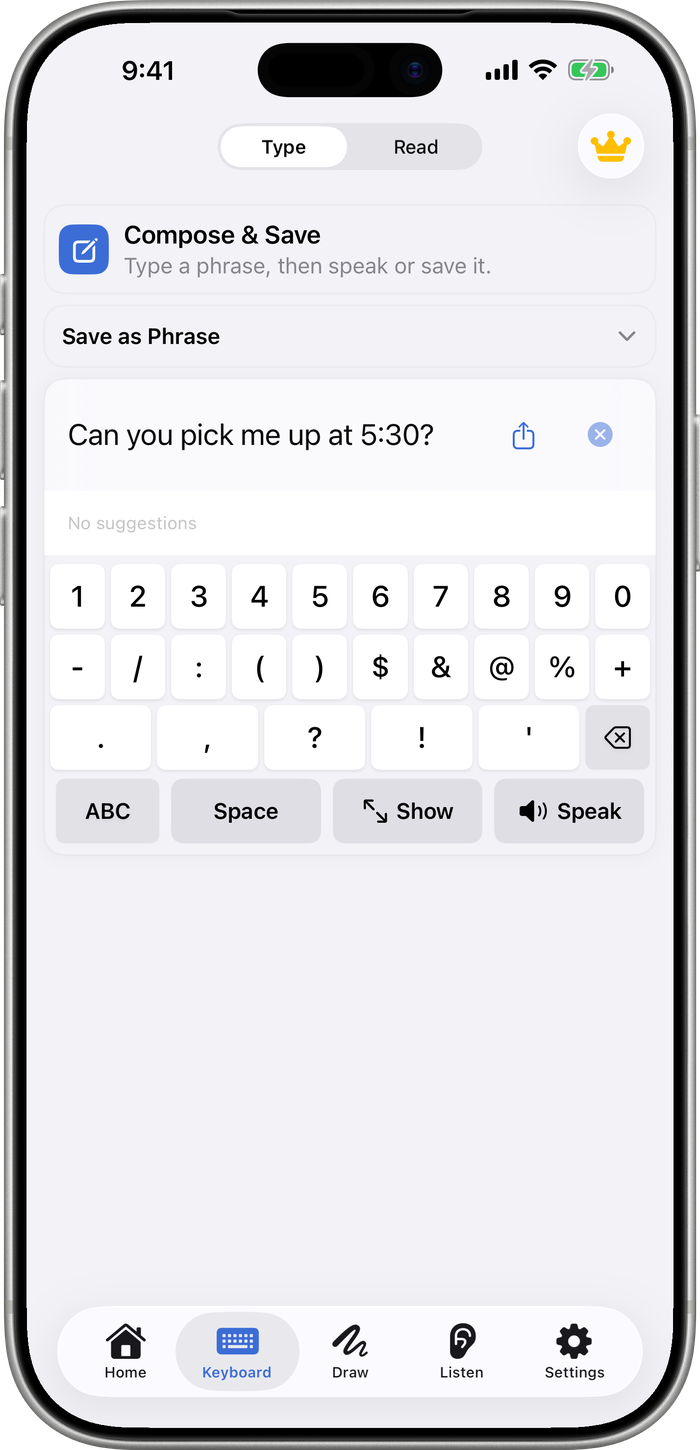
Tap 123 on the Keyboard tab for digits and punctuation; ABC goes back to letters.
Type times, phone numbers, prices, ages and room numbers.
Punctuation changes how the voice sounds: ? rises like a question, , and . add pauses, ! adds emphasis.
The currency key follows your region: €, £ or $.
Share what you type
A Share button appears next to your typed message.
Send it to Messages, Mail, WhatsApp or Notes, or copy it.
Useful when someone isn't in the room, or to keep a message for later.
Full-screen board
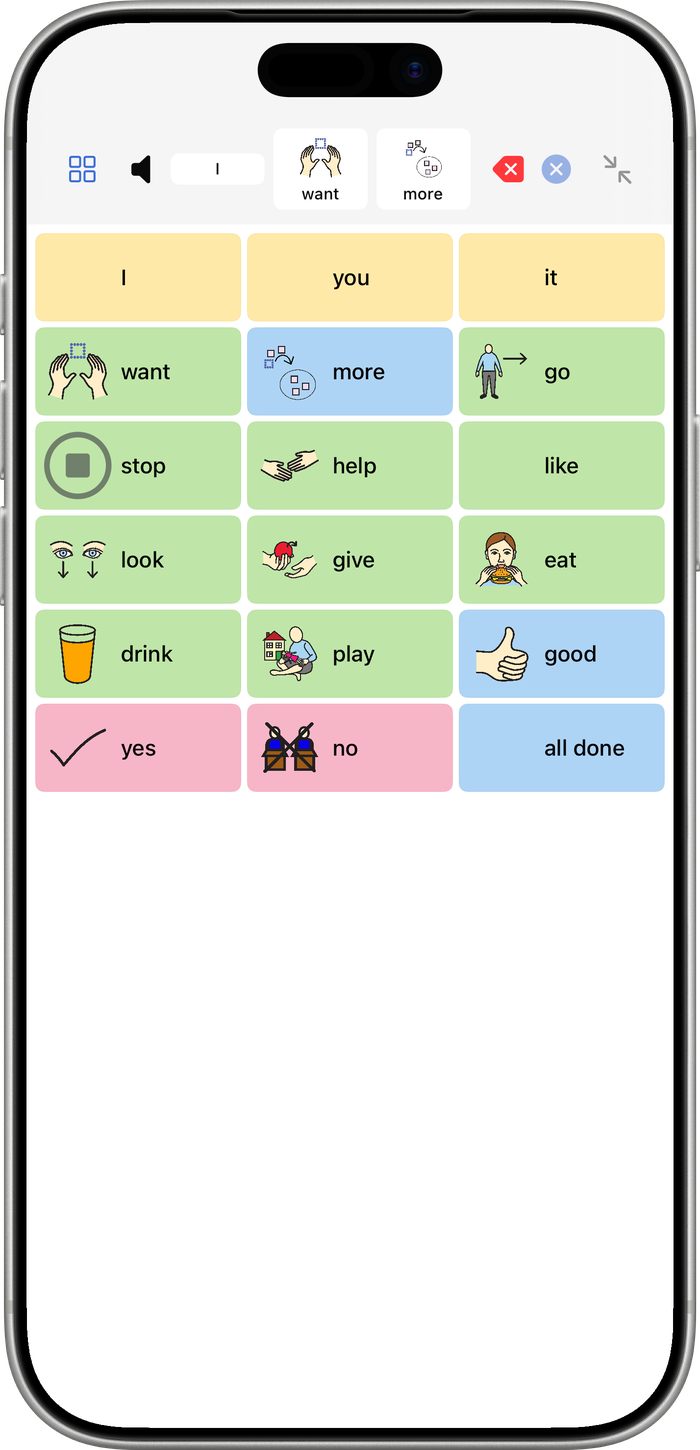
Tap the full-screen button at the right of the sentence bar. The status bar, tabs and toolbar disappear, and the board gets the whole screen.
Change category with the grid button at the left of the sentence bar.
Press and hold the same button to exit. A quick tap only shows a reminder.
Caretakers can require their PIN to exit: Settings ▸ Persona ▸ Caretaker PIN.
Works with head tracking: dwell on the button to enter or exit.
Speech therapy tools
Target words are outlined on the board, so practice words are easy to find.
Modeling mode: a therapist or parent taps to show how, without it counting as the user's own words.
Progress report: a one-page PDF of the last four weeks to share with a speech-language therapist.
Find them in Settings ▸ Therapy (Premium). They're also listed in What's New.
What's New in Settings
Settings ▸ What's New lists the highlights of every version.
Open jumps straight to a feature; Learn More opens the matching article.
Fixes and improvements
Long typed messages scroll instead of being cut off.
Clearer Persona and PIN settings.
Bug fixes and performance improvements.
Update from the App Store to get 1.7. New to Speech Assistant? Start with your first week of AAC.
Questions people ask
Is 1.7 free?
Yes. It's a free update. Numbers, Share and full screen are free for everyone; the therapy tools are part of Premium.
Does the voice read numbers and punctuation correctly?
Yes. 5:30 is read as a time, £20 as twenty pounds, and a question mark makes the voice rise at the end.
How do I leave full screen?
Press and hold the button at the right of the sentence bar. A quick tap only shows a reminder, so a stray tap won't close it.